
I Built a Tool for Deciding When Not to Engage Online
The Critical Ignoring Companion helps you fact-check and ignore more intentionally.

Advice about navigating information online often tells you to pay more attention to read more carefully, or think more critically.
That advice isn’t wrong, but it’s incomplete. In an attention economy designed to exploit engagement, the harder and more underrated skill is knowing what not to engage with at all. Psychologists call this critical ignoring, and research suggests it’s just as important for modern media literacy as critical thinking itself.
I’ve been writing about this framework for a while now. But reading about a skill and actually having it are different things. So I started building tools.
A few weeks ago I launched IgnoreMore and described what I wanted to create: a suite of tools that helps you decide what deserves your attention online. Something grounded in research, not just vibes. Free, no signup, no friction. The first tool would be an interactive “companion” that would help you decide whether or not to engage with an online comment, and to help you fact-check a claim.
That tool is now live!
Introducing the Critical Ignoring Companion
The Companion lives at critignore.com (also at ignoremore.com/companion). It has two components, and I'll walk through each with screenshots below.
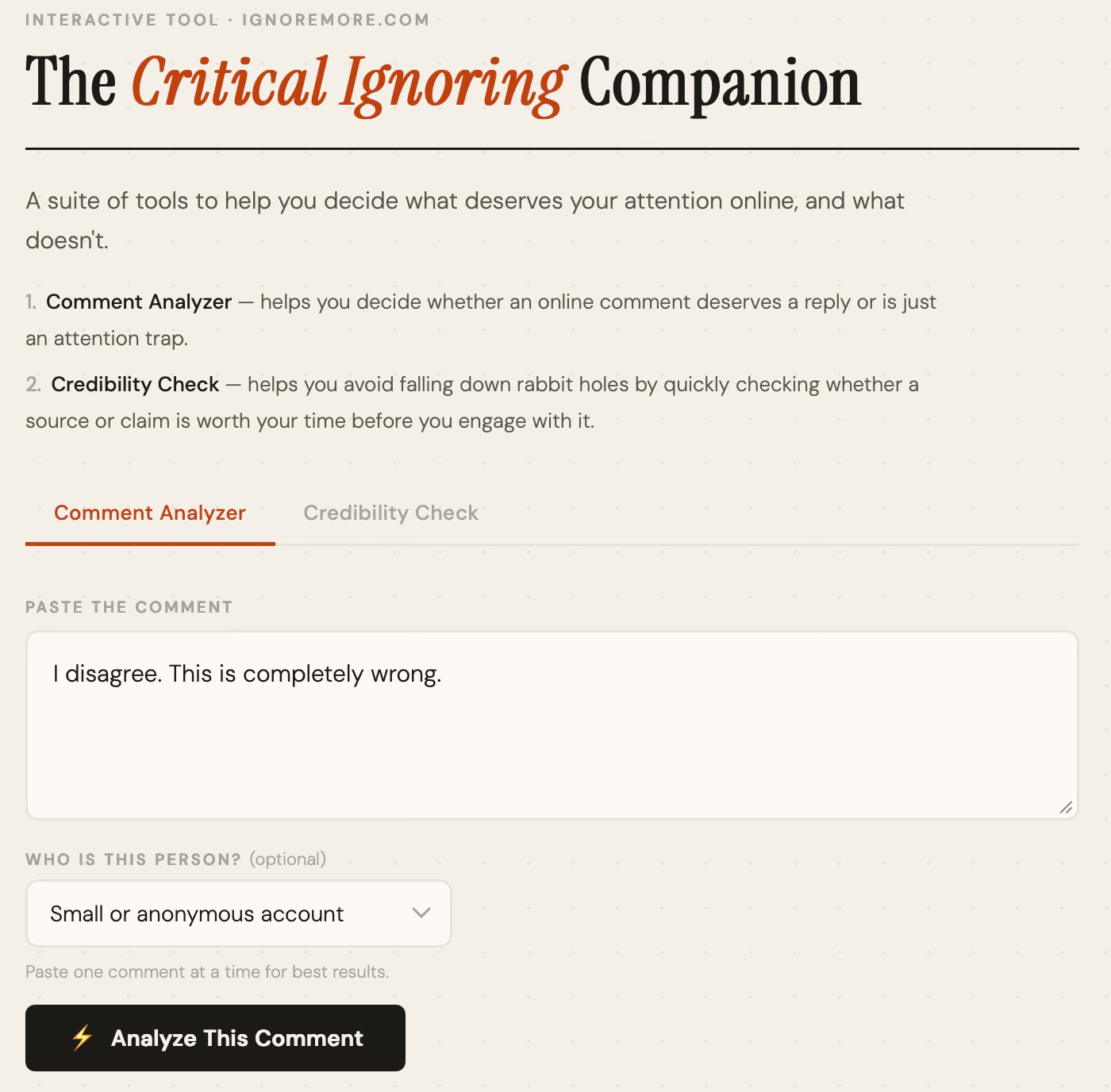
Comment Analyzer — Paste a comment you received online. Get a verdict: reply, ignore, or block, with a plain-English explanation of what’s happening. The tool recognizes patterns like distraction tactics, personal attacks, and overwhelm strategies, while also flagging genuine good-faith disagreement that’s actually worth your time. That last part matters to me. I didn’t want to build something that tells you to ignore everything. I wanted something that helps you protect your attention without closing yourself off. I hope this is useful for anyone active online, whether you have a more public account or just want to scroll with less friction.
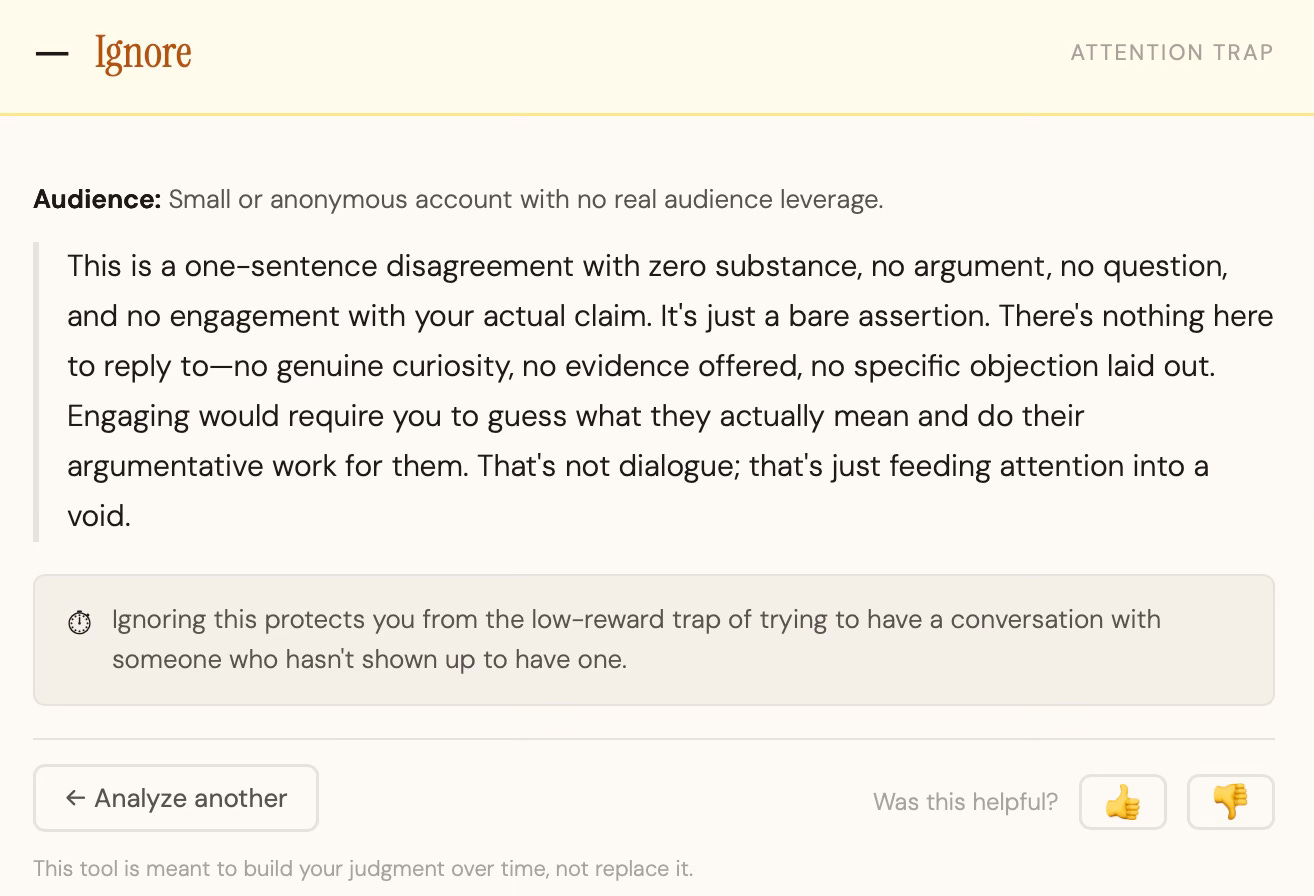
Let's say I get a short "I disagree. This is completely wrong." from a random account on social media and wonder if it deserves a response. The Comment Analyzer concluded: Ignore. The reasoning is that it's a bare assertion with no argument, no question, and no engagement with anything I actually said. Responding would require me to guess what they even mean and do their argumentative work for them. As the tool puts it, "that's not dialogue, that's just feeding attention into a void."
Next, let’s see how the Credibility Check works.
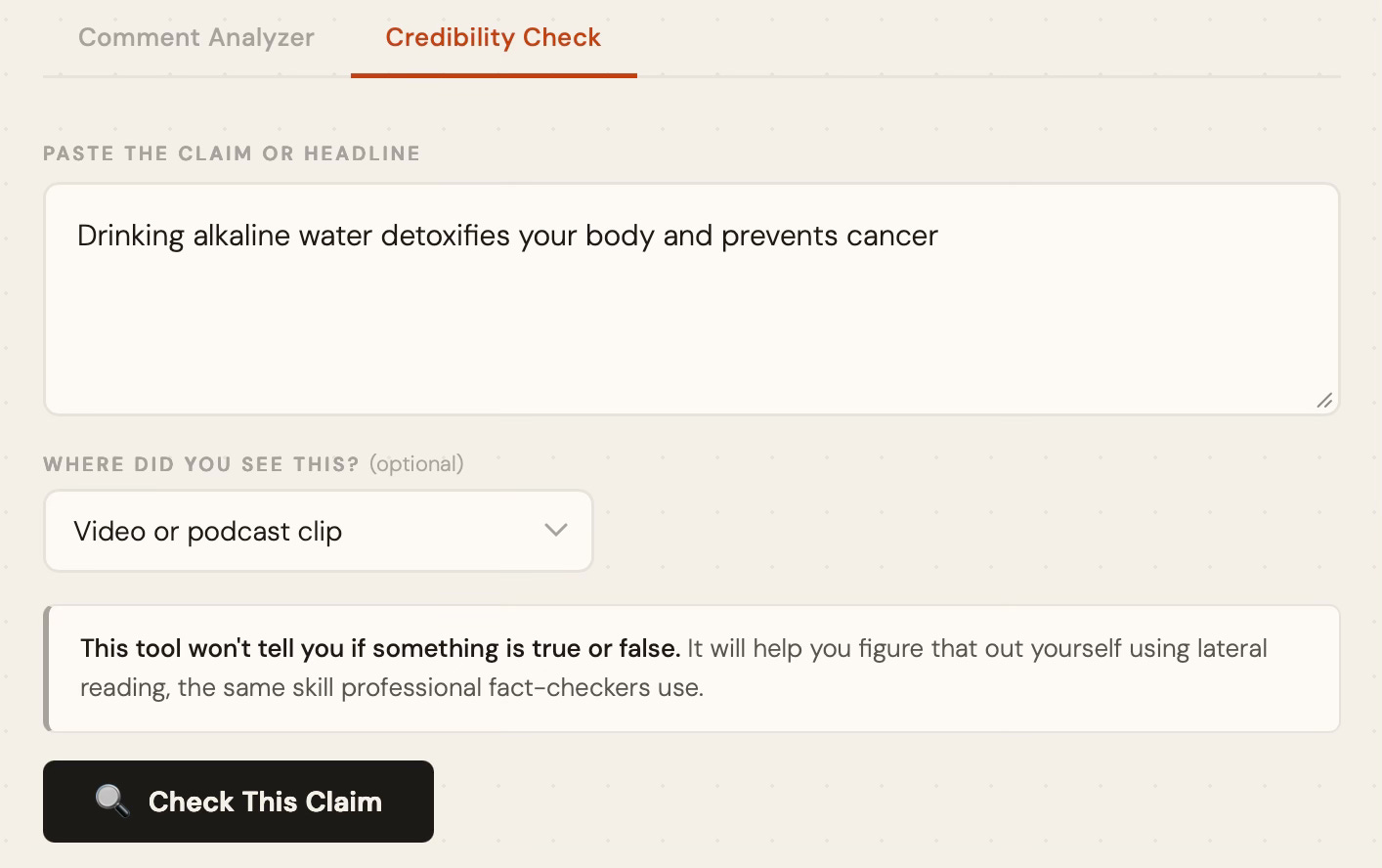
Credibility Check — Paste a claim or headline you saw shared online. Instead of telling you whether it’s true or false, the tool coaches you through the fact-checking process yourself, using the same lateral reading techniques that professional fact-checkers use. Lateral reading means checking what others say about a source rather than evaluating it directly. Research consistently shows this significantly improves the ability to spot false or misleading information. The tool walks you through that process step by step, tailored to the specific claim you pasted.
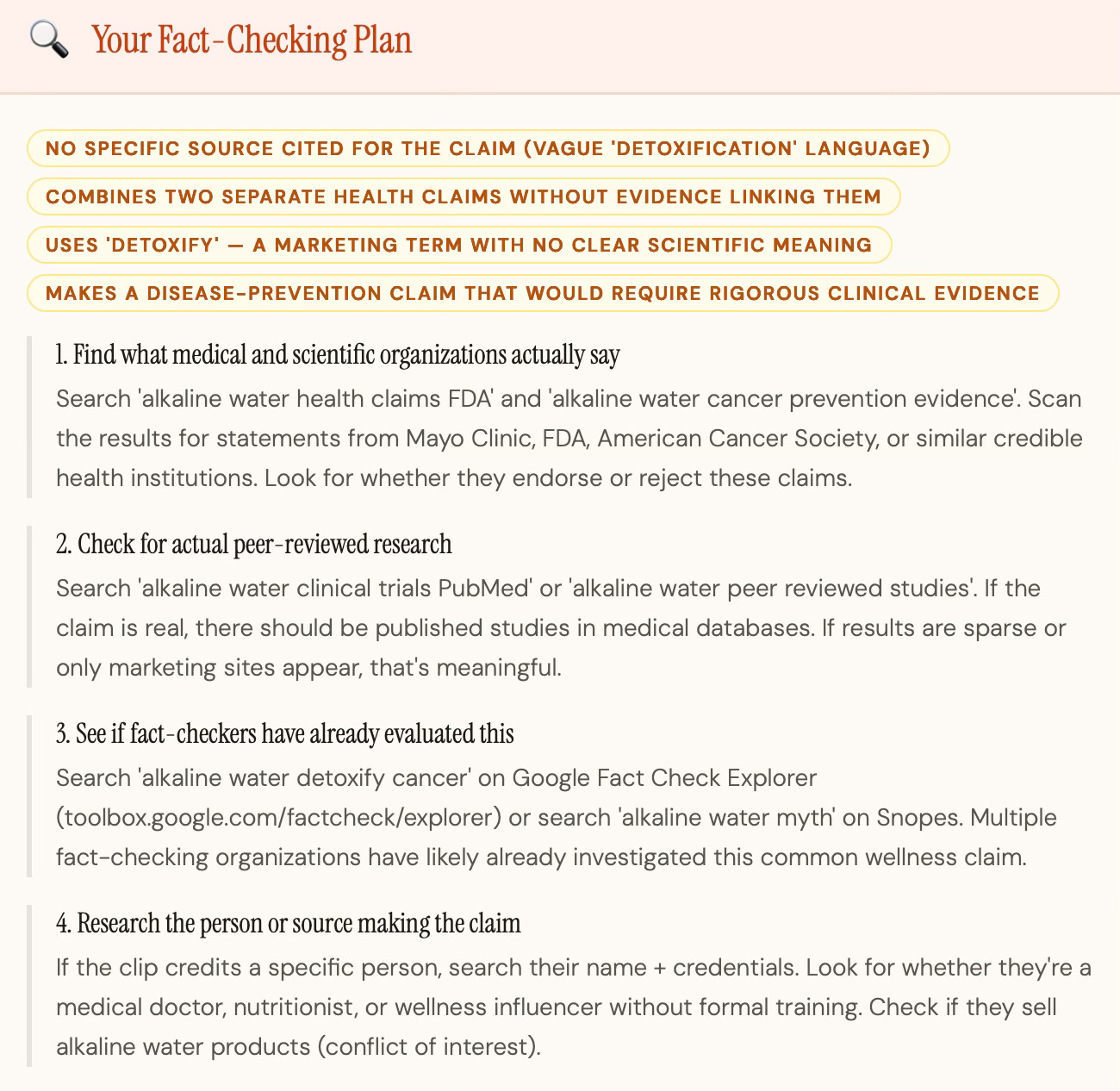
I pasted the claim “Drinking alkaline water detoxifies your body and prevents cancer” from a video clip. The tool immediately flagged four red flags: no specific source cited, vague “detoxification” language with no scientific meaning, two separate health claims bundled together without evidence linking them, and a disease-prevention claim that would require rigorous clinical evidence to support.
From there it walked me through four search moves: checking what major health organizations like the FDA and American Cancer Society actually say, searching for peer-reviewed research on PubMed, seeing if fact-checkers have already evaluated this claim on Google Fact Check Explorer or Snopes, and researching whoever is making the claim, including whether they sell alkaline water products, which would be a conflict of interest worth knowing.
There’s also a follow-up feature: after you get your coaching steps and do the searching yourself, you can paste back what you found and the tool helps you interpret it. The goal is to build your judgment, not replace it.
You do the searching. The tool tells you exactly what to look for and why it matters.
Both tools are free, grounded in published research, and require no account or signup.
A Note on How the Tool Works
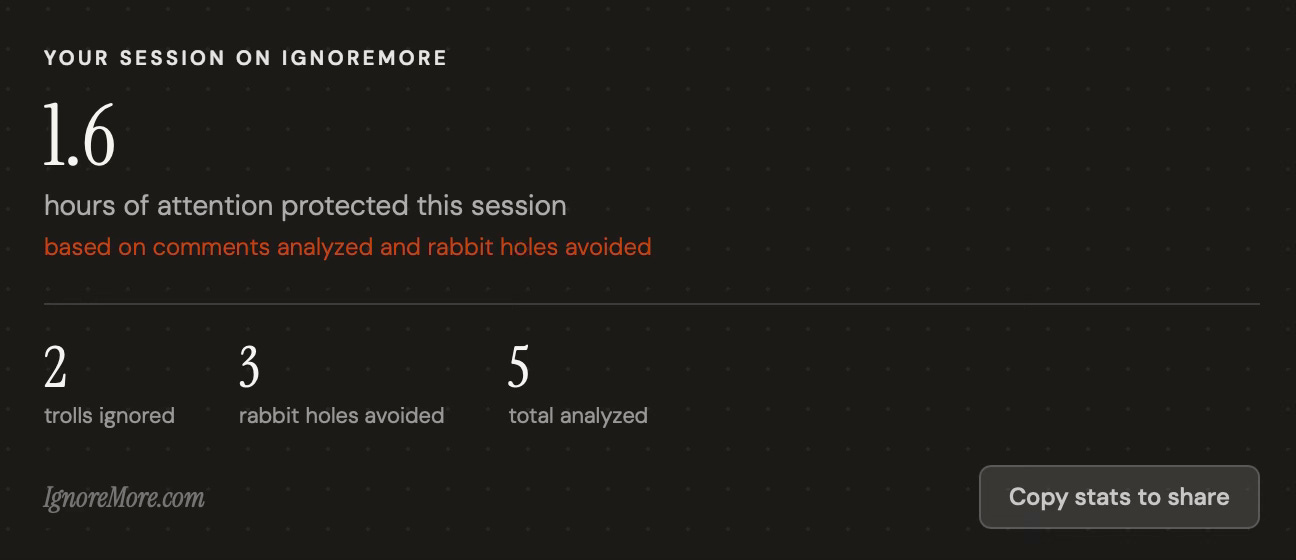
The tool includes a session tracker that estimates how much attention you protected during your session, similar to the mockup I shared in the last post. I want to be upfront about what that number is and isn’t. There’s solid research on the costs of rumination after hostile online interactions (elevated cortisol, disrupted sleep, reduced cognitive resources) but no study maps that cleanly to a specific number of minutes per comment. It varies too much by person and context to quantify precisely. The tracker is meant to give you a rough sense of time saved, not a precise measurement. Think of it as a gut check that your attention is worth protecting, and a broad indicator of time-saved. I’d rather be transparent about that than pretend the science says more than it does.
A Thank You
A small group of readers tested the Companion before this post and their feedback directly shaped what you’re reading now. Thank you, you know who you are.
What’s Next
This is the first version! I’m actively collecting feedback and will keep improving the analysis, the verdicts, and the overall experience. I’d like to also make a Screen Time tab, along with a browser extension that would bring right-click access to these tools wherever you are online, not just when you come to the site. The larger goal is to give people more control of their time in an online world designed to steal it.
If you try the Critical Ignoring Companion, I’d love to hear what you think. There’s a short feedback form linked at the bottom of the tool itself, and you can also share if the outputs were unhelpful or not by clicking on the thumbs up/down.
UPDATE (May 7th, 2026)
Since launching the Companion, I’ve been watching how people actually use it. One pattern stood out: several people were pasting misleading claims and headlines directly into the Comment Analyzer, not the Credibility Check, and getting useful results anyway. That told me the two-tab structure was adding a step that didn’t need to be there. Most people just have a thing they encountered online and want to know if it’s worth their time. They shouldn’t have to classify it first.
So I simplified the interface. There’s now a single input box. Paste a comment, a claim, a headline, whatever you saw online. The tool figures out what it’s looking at and responds accordingly. Everything that made both original tools useful is still there, just with less friction to get to it.